
7 AI Prompts for Contractors You Can Copy Right Now
Ready-to-use ChatGPT prompts for RFIs, emails, change orders, punch lists, and delay notices. Fill in the blanks and hit send.
Difficulty: Apprentice — Copy, paste, fill in the blanks. No setup required.
You don't need to be an AI expert to get useful results. You just need to ask clearly.
Here are seven prompts you can copy straight into ChatGPT, Claude, or whatever AI tool you're using. Fill in the bracketed sections with your specifics and hit enter.
1. Draft an RFI Response
I need to respond to an RFI from [ARCHITECT/ENGINEER NAME].

The question is: [PASTE THE RFI QUESTION]

The answer based on our field conditions is: [YOUR ANSWER IN PLAIN TERMS]

Write a professional RFI response that's clear and direct. Keep it under 150 words.
2. Write an Email to a Sub About Schedule
Write an email to [SUBCONTRACTOR NAME], a [TRADE] subcontractor on [PROJECT NAME].

The situation: [DESCRIBE THE ISSUE - e.g., "they were supposed to start Monday but haven't shown up" or "we need them to accelerate to meet the deadline"]

Tone: Firm but professional. We want to maintain the relationship.

Keep it under 100 words.
3. Summarize Meeting Notes
Here are my notes from a [TYPE OF MEETING - e.g., OAC meeting, subcontractor coordination, safety meeting]:

[PASTE YOUR NOTES]

Turn these into a clean summary with:
- Key decisions made
- Action items with who's responsible
- Open issues that need follow-up

Keep it organized but not overly formal.
4. Explain a Change Order to an Owner
I need to explain a change order to the owner.

Original scope: [WHAT THE CONTRACT SAID]
What changed: [WHAT'S DIFFERENT NOW]
Why it changed: [THE REASON - e.g., "unforeseen site condition" or "owner-requested upgrade"]
Cost impact: [DOLLAR AMOUNT]
Schedule impact: [DAYS ADDED OR "NO IMPACT"]

Write a clear explanation that a non-construction person can understand. Professional tone, no jargon.
5. Write a Punch List Description
I need clear punch list descriptions for these items. Make each one specific enough that any sub would know exactly what to fix:

[LIST YOUR ITEMS - e.g., "door doesn't close right in room 204" or "paint touch-up needed by window"]

Format: Location - Description of deficiency - Expected correction
6. Draft a Delay Notice
I need to draft a notice of delay for [PROJECT NAME].

We are the: [GC/SUBCONTRACTOR]
Sending to: [OWNER/GC/ARCHITECT]
Cause of delay: [WHAT HAPPENED]
How many days: [NUMBER]
Contract reference: [SECTION NUMBER IF KNOWN, OR "CHECK CONTRACT"]

Write a professional delay notice that documents the facts without being accusatory. Include a request for time extension.
7. Turn Specs Into Plain English
Here's a section from the project specs:

[PASTE THE SPEC SECTION]

Explain what this actually requires in plain English. Include:
- What we need to do
- What materials/methods are required
- Any submittals or testing required
- Anything unusual to watch out for
Tips for Better Results
Be specific. "Write an email to a sub" gets generic results. "Write an email to my drywall sub who's three days behind on the second floor" gets useful results.
Include context. The AI doesn't know your project. Give it the details it needs.
Ask for a format. Want bullet points? A formal letter? A quick email? Say so.
Iterate. First result not quite right? Say "make it shorter" or "more formal" or "add a section about the schedule impact."
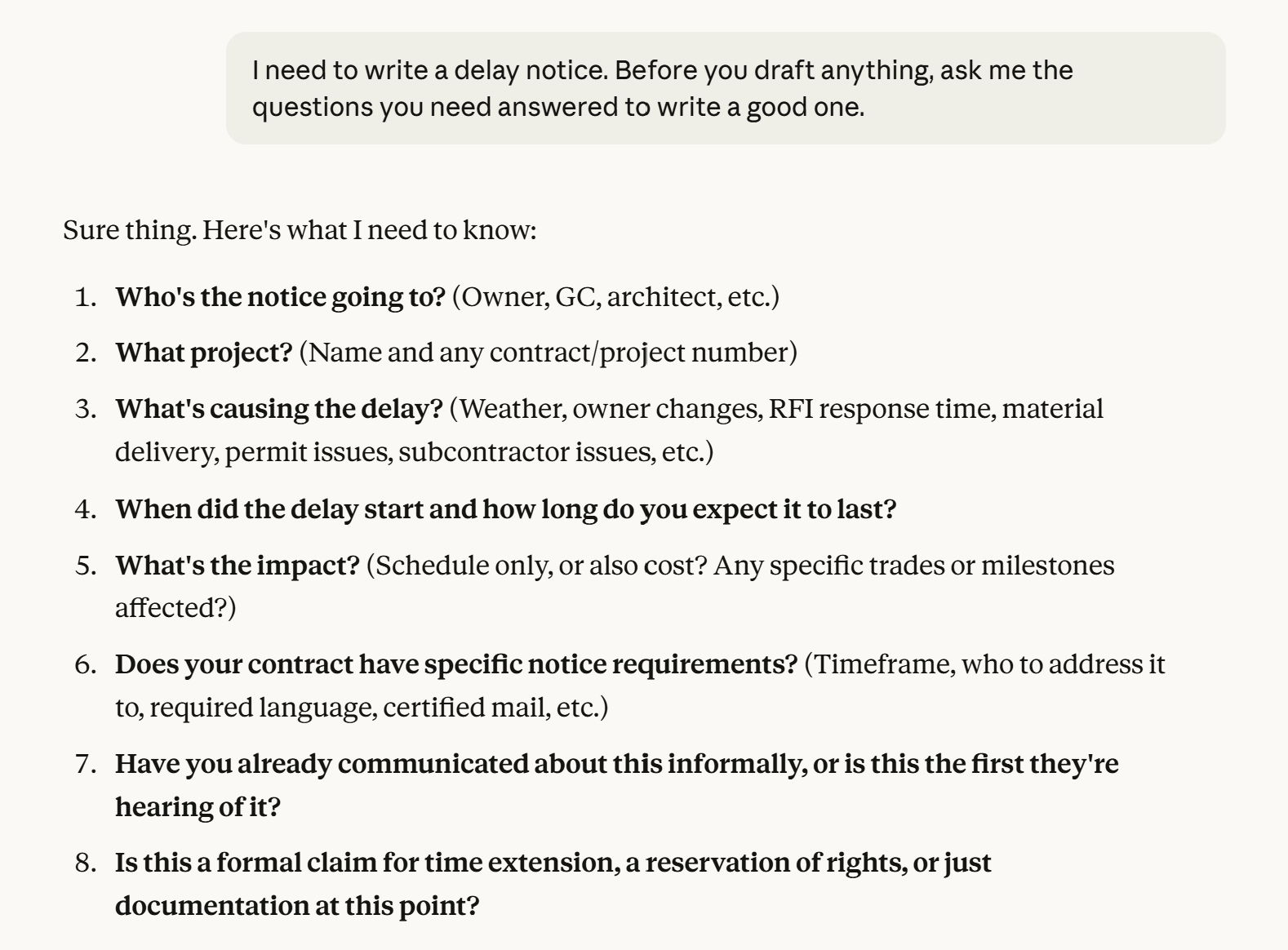
Let the AI interview you. Not sure what details to include? Try this: "I need to write a delay notice. Before you draft anything, ask me the questions you need answered to write a good one." The AI will ask about the project, the cause, the timeline, who you're sending it to. Answer those questions, and it'll have everything it needs. This works for any task where you're not sure where to start.
Give it a role. Try starting with "You're an experienced construction project manager" or "You're a superintendent who's been in the field for twenty years." This frames the response with industry knowledge instead of generic business writing.
Feed it examples. If you have an RFI response or email you liked from a past project, paste it and say "Write the new one in this style." The AI will match your tone and format.
What's Next
These templates handle the basics. Once you're comfortable, you'll start writing your own prompts for whatever situation you're in.
The key is just to start using it. Pick one task tomorrow that involves writing, paste the relevant template, and see what you get back. Worst case, you spend two minutes and don't use the result. Best case, you save twenty minutes and get a better draft than you would've written yourself.